

Make your blog
worth browsing.
Turn a plain post list into a beautiful publication. Aura Archives & Layouts gives your blog page, archives, and individual articles a polished look in minutes, with nine distinct layouts, flexible styling, and performance built in.
check_circle Works with WordPress blocks, Elementor, and any theme that supports shortcodes. No custom code required.
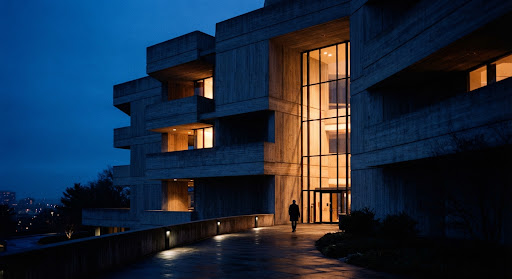
The New Monoliths: Sculpting Modern Concrete with Ambient Natural Light
How contemporary spaces balance raw brutalist masses with delicate, responsive digital illuminations to build sanctuaries for thoughtful living.
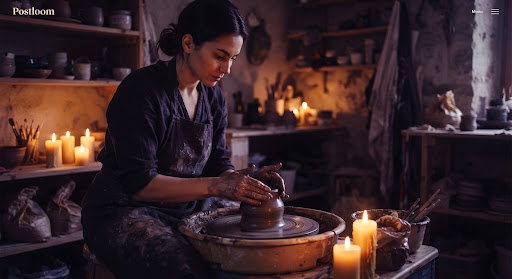
Tactile Objects in Virtual Eras
Why physical ceramic editions command enduring devotion.

Nocturne: Tokyo Soundscapes
Late-night listening bars and acoustic heritage.
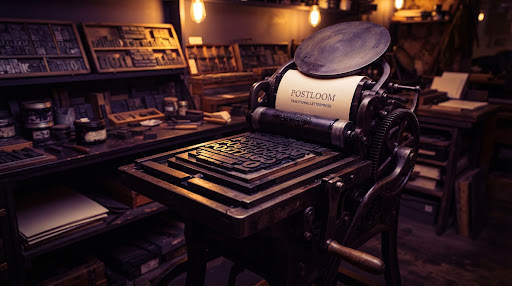
The Return of the Broadside
Letterpress disciplines inspiring high-resolution web readers.
Your best stories deserve more than a default grid.
You put time into every article, photo, announcement, and resource. Then your theme presents it all in the same forgettable list. Great content gets buried, category pages look unfinished, and readers have no reason to keep exploring.
Aura Archives & Layouts gives every part of your blog a sense of purpose. Lead with your strongest story. Give images room to breathe. Help visitors find the topics that matter to them. Make the next article feel one click away.
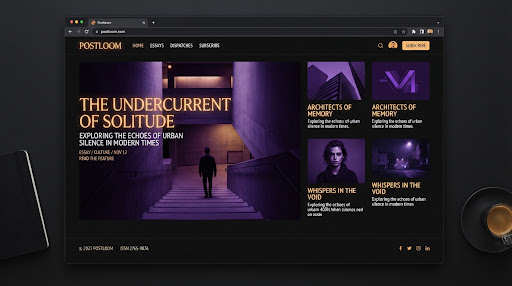 Lead Story
Art-Directed Typographic Weight
Balanced line heights and spatial presence that command attention.
Nine ways to make the story stand out.
Different content calls for different presentation. Pick the rhythm that suits your site, then make it yours.
Magazine
A lead story, a column of headlines, and portrait features give your blog the character of an editorial publication.


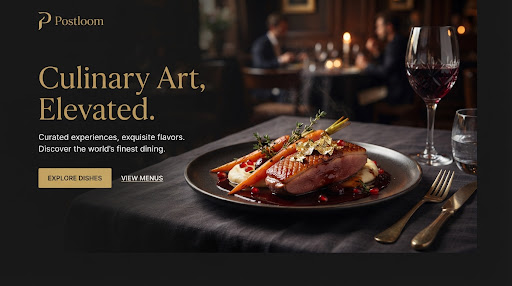
Photo gallery
Image-first tiles in varied sizes put photography, food, travel, products, and places in the spotlight.
Spotlight
Bold, full-width cover stories alternate with smaller article rows to build momentum down the page.
Editorial mosaic
An art-directed mix of feature, wide, medium, and small stories creates a page with its own visual rhythm.
Masonry
Natural image heights form an engaging visual wall without forcing every photo into the same crop.
Index
Oversized numbered headlines keep the focus on ideas, with an image reveal when readers explore a row.
Timeline
A central thread connects news, milestones, and updates in the order they happened.
Card grid
A balanced, versatile collection of stories that feels right at home on almost any site.
Classic list
A straightforward, readable feed that lets your headlines and summaries do the work.
“Start with a layout, then refine card style, colors, spacing, corners, columns, and image shapes. Every layout adapts to phones, tablets, and narrower content areas.”
Help readers find one more story.
A beautiful page draws people in. An easy path through your content keeps them there. Add instant topic filters, choose numbered pages or Load More, and let visitors share a link to the exact filtered view they found. For an uninterrupted feed, turn on infinite scroll.

Designing for Deep Reading
#Design Systems · 6 min
The Geometry of Margins
#Typography · 4 minMake the article as good as the archive.
Aura Archives & Layouts does not stop when someone clicks a headline. Choose a single-post template that gives your writing and images space to work: a classic centered article, an immersive cover, or a split layout with the image beside the story.
Classic Centered
Ideal for essays, literary journals, and in-depth analytical pieces with deliberate margins.

Immersive Cover
Full-bleed photography header with floating headline typography and ambient light scrim.

Split Story & Media
Sticky media pane locks alongside longform reading, ideal for reviews and gear guides.
Editorial reading tools included in every single-post template:
One tool, many kinds of content.
Build a newsroom for a nonprofit, an insights hub for a business, a photo-led journal for a creator, or a resource center for a school. Give each client a distinct look while keeping the publishing workflow familiar to anyone who already uses WordPress.

Nonprofit Newsroom
Clear public reports, grant announcements, and timely campaign milestones.

Business Insights Hub
Authoritative white papers, market intelligence, and product news.

Creator Photo Journal
Uncropped photo walls, visual travelogues, and design sketchbook feeds.

School Resource Center
Fast filtered guides, downloadable syllabi, and departmental updates.
Aura Archives & Layouts works in the block editor and Elementor, and its shortcode can be placed in other theme and builder workflows. Clean markup, real links for filters and pagination, and keyboard and screen-reader support help readers navigate the content.
WCAG 2.1 AA Ready
Give every post a better place to live.
Make your blog feel like a destination, from the first headline to the next article. Choose your layout, preview your own content, and publish a page people want to explore.